March 17, 2026
Gifford Monument Works
5 min read
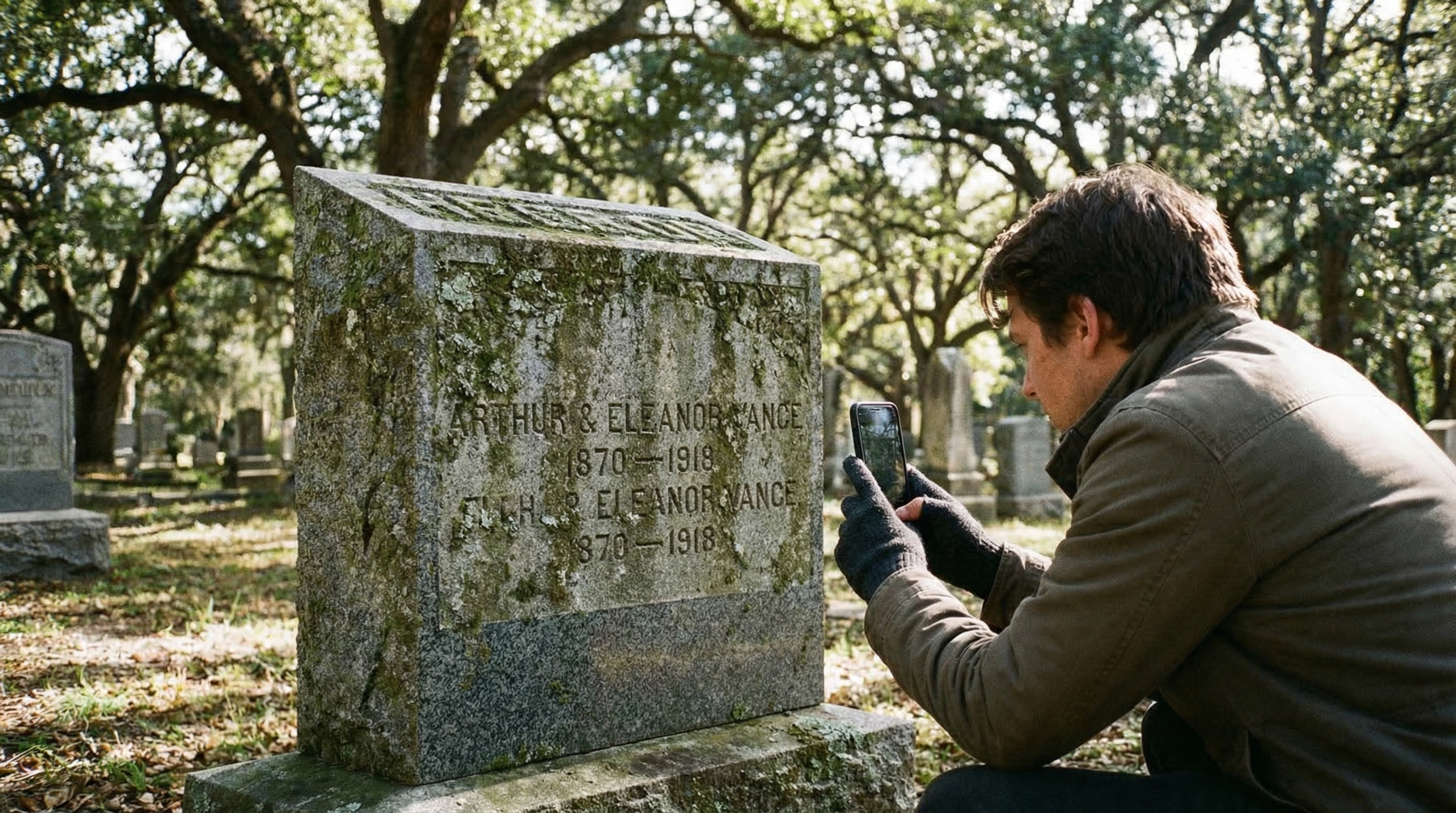
How to Photograph and Document Cemetery Inscriptions: A Field Guide
Documenting headstone inscriptions preserves family history for future generations. This guide covers photography techniques, transcription best practices, submitting records to FindAGrave and BillionGraves, and how to handle weathered or illegible stones.
genealogy
cemetery documentation
headstone photography
FindAGrave
family history
Oklahoma cemeteries
<p>Cemetery documentation is one of the most valuable things a family historian can do. A well-photographed, properly transcribed headstone record can help future generations trace lineage, verify dates, and understand the lives of relatives they never met. It also creates a permanent digital record in case a stone is damaged, moved, or lost over time.</p>
<p>This guide covers everything you need to document cemetery inscriptions properly — from phone photography to submitting records to genealogical databases.</p>
<h2>What You Need</h2>
<ul>
<li>A smartphone with a decent camera (modern phones are fine for most stones)</li>
<li>A soft brush (toothbrush or paintbrush) to gently clear debris — never use wire brushes</li>
<li>A notebook or voice recorder for transcription notes</li>
<li>Water in a spray bottle (helps bring out faint engravings on dry stone)</li>
<li>Optional: chalk, shaving cream, or dedicated gravestone enhancement spray for deeply weathered stones</li>
</ul>
<p><strong>Do not use:</strong> bleach, wire brushes, acid cleaners, or anything abrasive. Even well-meaning cleaning can permanently damage historic granite and marble stones.</p>
<h2>Photography Technique</h2>
<p><strong>Lighting is everything.</strong> The worst time to photograph a headstone is under direct overhead sun — it flattens the engraving and makes text almost invisible. The best times:</p>
<ul>
<li>Early morning or late afternoon (low angle sunlight creates shadows that reveal engraved text)</li>
<li>Overcast days (even, diffused light reduces glare)</li>
<li>After a light rain (water in the engravings increases contrast)</li>
</ul>
<p><strong>Use raking light:</strong> Position yourself so the sun or a handheld flashlight hits the stone at a low angle from the side. This "rakes" across the engraving and makes even shallow text visible as shadows. This technique alone will reveal inscriptions that appear completely blank in direct light.</p>
<p><strong>Camera settings:</strong> Most phones will do fine in auto mode. Turn off the flash — it creates harsh flat light. If the auto-exposure is washing out the stone, tap on the stone face in your camera app to expose for the stone rather than the sky.</p>
<p><strong>Take multiple shots:</strong> Shoot from straight-on, then at a slight angle from each side to capture the raking light. Take a close-up of the inscription plus a wider shot showing the full stone and its surroundings (this helps with location identification later).</p>
<h2>For Hard-to-Read Stones</h2>
<p><strong>Water method:</strong> Spray clean water across the stone face. As it dries unevenly, the recessed engravings retain moisture longer and appear darker — making text temporarily visible. Photograph quickly as it dries.</p>
<p><strong>Shaving cream method (non-destructive):</strong> Apply plain white shaving cream to the stone face, press gently into the engraving, then wipe across the surface with a straight-edged card (like a credit card), leaving cream in the recesses only. Photograph, then rinse clean with water. This works well on deep-cut inscriptions. Do not use on painted stones or fragile marble.</p>
<p><strong>Digital enhancement:</strong> Many genealogy apps (like FindAGrave's built-in enhancement) and free tools like Snapseed can adjust contrast and shadows to reveal faint text in your photos without touching the stone at all. Try this before any physical methods.</p>
<h2>Transcription Best Practices</h2>
<p>Transcribe exactly what the stone says — including spelling errors, unusual abbreviations, and formatting. Don't "correct" what you see:</p>
<ul>
<li>Record all names exactly as spelled on the stone</li>
<li>Record dates in full ("March 17, 1891" not just "3/17/1891")</li>
<li>Note symbols, emblems, or artwork (Masonic compass, military branch, flower type, religious symbols)</li>
<li>Record the stone material (granite, marble, sandstone, concrete) and condition</li>
<li>Note the section, row, and lot number if marked — and photograph the section sign</li>
<li>Record the cemetery name, city, county, and state</li>
<li>Add your name and the documentation date to your notes</li>
</ul>
<p>If text is partially illegible, use brackets: "Born [18]47" or "[illegible]" for completely unreadable sections. Never guess at missing letters.</p>
<h2>Submitting Records to Databases</h2>
<p><strong>FindAGrave (findagrave.com)</strong> — the largest cemetery database. You can add a memorial for a person, upload photos, and transcribe the inscription. Memorials can be linked to family trees. Free to use.</p>
<p><strong>BillionGraves (billiongraves.com)</strong> — GPS-tagged cemetery photos. Their app automatically records the GPS coordinates of each photo, making precise location retrieval possible. Good for large or complex cemeteries.</p>
<p><strong>FamilySearch (familysearch.org)</strong> — run by the Church of Jesus Christ of Latter-day Saints, but open to everyone. Cemetery records can be indexed and linked to FamilySearch family trees. Good for connecting records to larger genealogical databases.</p>
<p>For Oklahoma cemeteries specifically, the <strong>Oklahoma Cemeteries website (okgenweb.net/cemetery)</strong> maintains county-level cemetery indexes and welcomes contributed transcriptions.</p>
<h2>Preserving the Record</h2>
<p>Store your documentation in multiple places: a cloud photo library, a genealogy software program (Ancestry, MacFamilyTree, Gramps), and a printed binder if the person was a close family member. Stone condition changes over time — what's readable today may not be in 30 years.</p>
<p>If you find a stone in serious deterioration, contact the cemetery office. For historic cemeteries in Oklahoma, the <strong>Oklahoma Historical Society</strong> maintains preservation resources. For veterans stones in disrepair, the VA has a program to replace government-furnished markers at no charge to the family.</p>
<h2>A Note on Gifford Monuments in Oklahoma Cemeteries</h2>
<p>Gifford Monument Works has been setting monuments in Oklahoma cemeteries since 1936. If you're documenting an older stone and wonder about its origin, we maintain records of monuments set by our shop going back decades. If you're planning a new monument and want to ensure the inscription is crisp and legible for future documentation efforts, our engraving process produces deep, clear letterforms designed to remain readable for generations.</p>
<p>Questions? Call us at (580) 309-9045 in Ada or visit <a href="/gallery">our gallery</a> to see examples of our work.</p>